

A club with member-only pages. An association with a resources library for paid-up members. A nonprofit with a corner of the site for its volunteers. Each of these is a website with a door in it, and most tools make the door a separate product: a membership plugin, a portal service, or a second login system bolted on.
In Total CMS, the door is built in. Logins, groups and locked pages are part of the core, on the same site as everything else.
This page's JumpStart builds one for Alder Creek Rowing Club, a fictional rowing club with a members' library and a board that keeps its own papers.
If the people behind the door are clients, dealers or customers rather than members, client, dealer and customer portals is the page for you.
Accounts that never see the admin
Total CMS keeps its own admin users in the default auth collection. For members you create a separate auth collection, and the people in it can sign in to your website but never to the dashboard. Clients, members and staff each get their own if you want them kept apart.
- Sign-up forms create the account and sign the visitor in, in one step, so they don't retype what they just entered.
- Accounts can expire. Set an expiration date or a maximum number of logins on an account, and sign-in stops when it runs out. That suits a yearly membership or a season pass.
- Password resets are built in, so a member who forgets theirs recovers access without emailing you.
In the sample, a new sign-up is signed straight in but sees only a note that their membership is waiting. Once their fees arrive, the membership secretary adds them to the Members group and sets the account to expire at the end of the season.
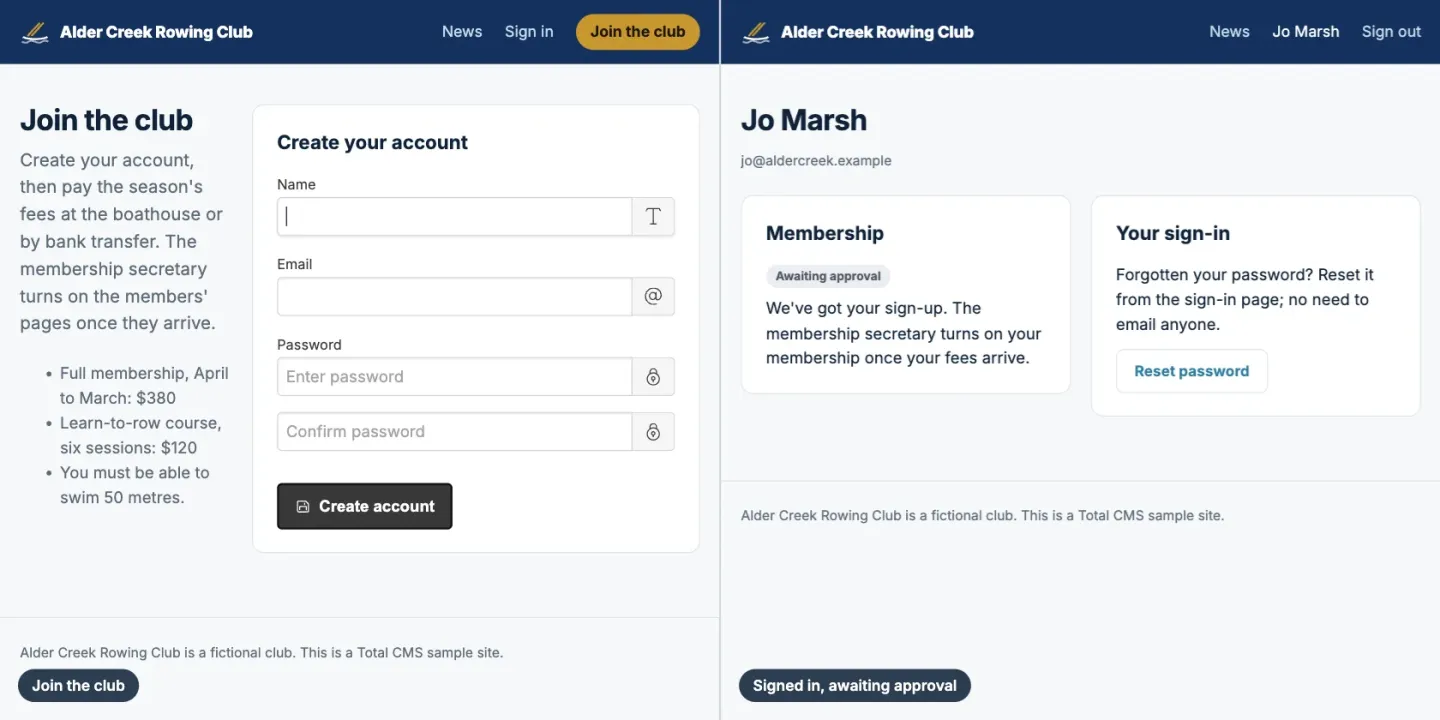
Pages and sections by group
Access groups decide who sees what. A Site Builder page can require a signed-in visitor, or membership in a named group; in Stacks, Page Lock does the same, and Section Lock shows or hides part of a page by group. A "Board" group sees the minutes, "Members" see the library, and everyone else sees the page that tells them how to join.
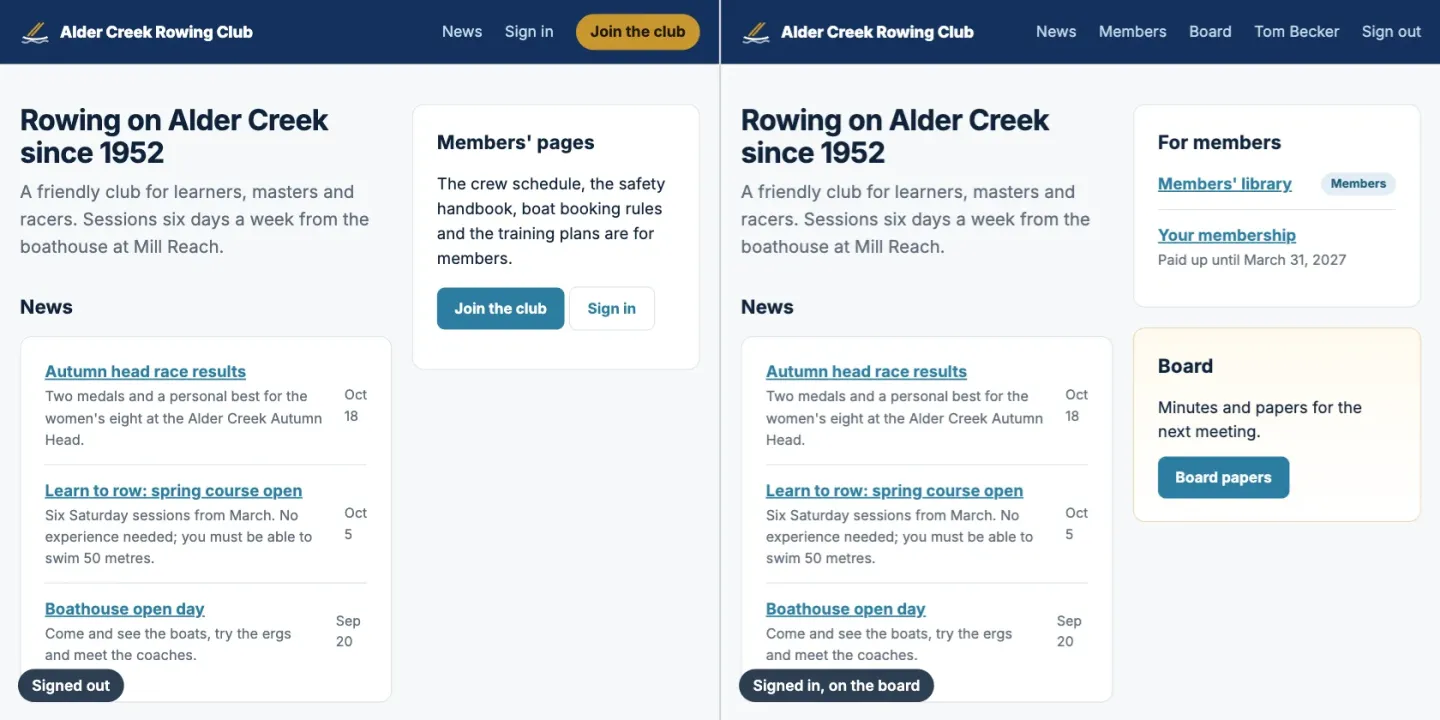
A members' library works the same way: put the files in a File Depot behind the group. Each download checks the group too, so a forwarded link opens nothing. In the sample, a link to a board paper sends a signed-out visitor to the members' sign-in and turns away a member who isn't on the board.
Members can also keep their own records current, such as their listing in a member directory, with each change reviewed before it goes live. A directory your members keep up to date shows how.
Cookie Club, if you would rather not build it
Cookie Club, an extension by Speedy Websites, packages the pieces above into a membership system. Its setup creates the members collection, a first plan with its own access group, and the email templates.
- Four pages, each added with one line in the Site Builder: sign-up, login (with "keep me logged in" and password reset), a member account page showing their plan and status, and a notice page for visitors who can't see something.
- Locked pages are set in the Site Builder or on Cookie Club's own tab. A visitor is sent to log in and brought back to the page afterwards, and
cookie_club_can()shows or hides parts of a page by membership. - A members page in the admin counts who is awaiting approval, active, expiring and suspended, with search, filters, approve and suspend, expiry dates, notes, and members added by hand.
- The emails cover a new sign-up (to you), email confirmation, awaiting approval, welcome and approved. Use the ready-made templates, write your own, or turn any off.
- Sign-up is guarded by a bot trap and rate limiting, and members have every admin and API permission switched off.
The free version has one plan. Cookie Club Pro is announced but not out yet: several plans, each with its own access group, renewal reminders, CSV import and export, and Stripe payments for one-off, annual or monthly memberships.
Where it stops
- It isn't a community platform. There are no forums, member-to-member messages or activity feeds. If members mostly talk to each other, a community tool does that better.
- Paid memberships need a payment service. Total CMS has no subscription billing of its own. Until Cookie Club Pro ships, charging members means a payment link from Stripe or similar, with an admin approving the member once they have paid.
- Someone has to set it up. Groups, auth collections and locked pages are configuration, not a wizard. Plan on a person who is comfortable in the admin, or a freelancer.
What you need
- Standard for access groups, which decide who sees each page, section and file, and for the File Depot collection behind a members' library. A members' auth collection, sign-up forms and pages that only need a sign-in work in every edition.
- Pro for owned collections (they need custom schemas) and for Cookie Club.
