
A yoga studio, a pottery class, a walking tour, a three-cabin retreat: each needs people to book a spot, pay for it, and get an email that says what happens next. The usual answer is a booking service with a monthly fee, its own branding on the page, and your customer list kept on its servers.
Relay Queue, an extension by Speedy Websites, takes bookings inside your own Total CMS site instead. Sessions and bookings are ordinary collections in your admin, and the emails go out through your own Mailer templates.
Two ways to book
- Classes and events. Each session has a set number of spots, and a visitor books one or more. The booking page lists open sessions with the spots left.
- Accommodation, and anything booked by the night. You say how many identical units you have (rooms, cabins, kayaks) and the visitor picks their own dates, checked night by night, with minimum and maximum stays.
The booking form goes wherever you want it: the ready-made booking page, a Site Builder block, a Twig function, or a [booking-form] shortcode inside any content area.
You stay in charge of who gets in
Every booking arrives as pending until you approve it. The Relay Queue page in the admin shows each upcoming session with its bookings; approve, waitlist or cancel with one click, and the customer gets the matching email. A full session takes waitlist bookings, the earliest request wins when several arrive at once, and booking closes a set time before the start.
The emails cover each step: booking received, confirmed, cancelled, couldn't accept, and a reminder before the day.
What Pro adds
The free version handles bookings, capacity, approvals, the waitlist and the emails. Relay Queue Pro, a one-time licence, adds:
- Stripe payments at booking, for the full price or a deposit, set per session
- A customer page, linked from every email, with Add to calendar buttons and online cancelling
- An automatic waitlist that moves the next person up when a place frees
- Repeating sessions, so a weekly class is set up once
- Printable attendee lists for checking people in, and CSV export
The rest of the site comes with it
Because the bookings live in Total CMS, the class pages, the teacher bios, the schedule and the booking form are one site, edited in one admin. A session can sit beside a gallery of past workshops or a page of what to bring. Nothing sends the visitor off to a third-party page with someone else's logo on it.
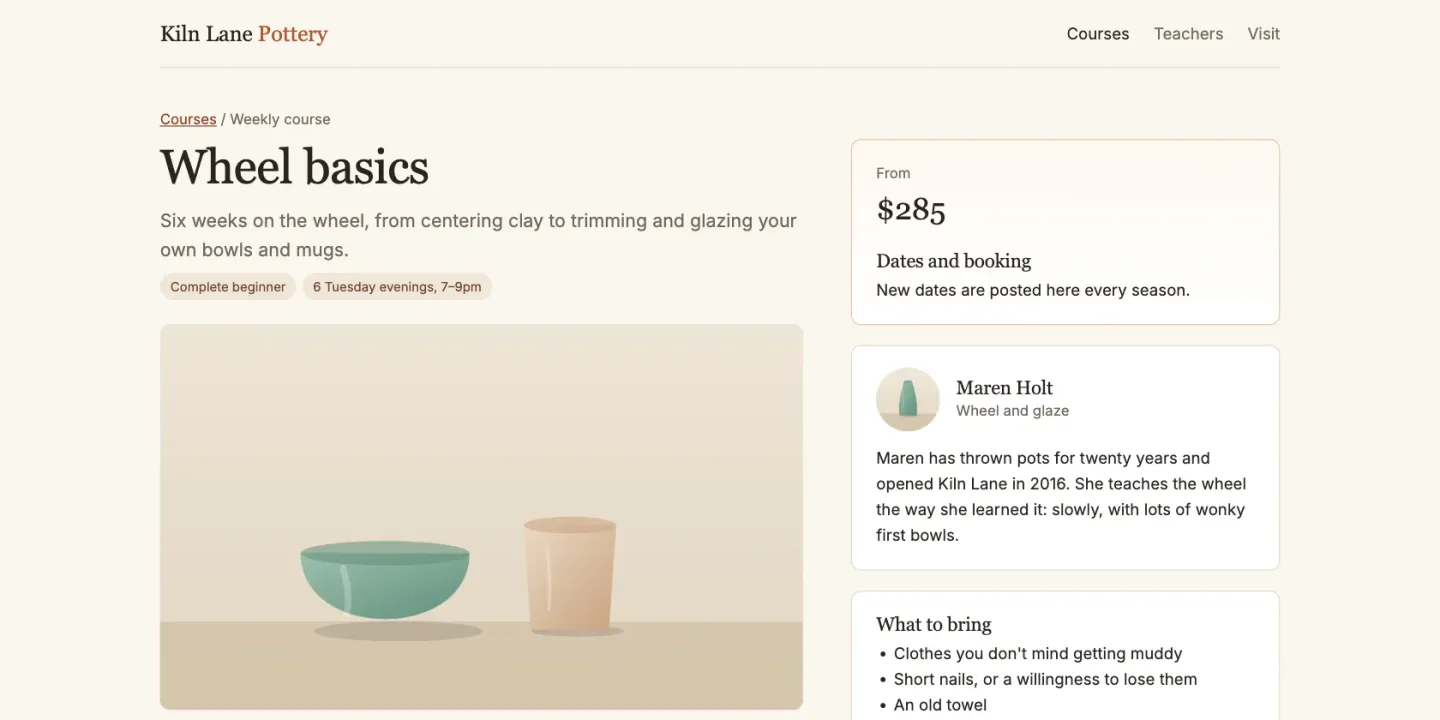
This page's JumpStart is that other half, the site the bookings live in. It builds one for Kiln Lane Pottery, a fictional pottery studio: course pages with the price, the teacher and what to bring, a gallery of work from earlier courses, teacher bios and a page for first-time visitors. Relay Queue itself is a separate download from Speedy Websites, so it isn't in the JumpStart; install it, and its booking form goes in the Dates and booking panel on each course page.
Where it stops
- It books sessions and stays, not staff calendars. If you book one-to-one appointments against several people's availability, as a salon or a clinic does, a scheduling service built for that is the better fit.
- It doesn't sync with booking platforms. A property also listed on the big accommodation sites needs a channel manager to keep the calendars in step.
- Refunds happen in Stripe. Payments use your own Stripe account, and refunds are made in your Stripe dashboard, not in the admin.
What you need
- Total CMS Pro, which Relay Queue requires.
- The automations cron job, which sends the emails and reminders. Relay Queue's setup checks that it is running, and creates the collections and email templates for you.
- A Stripe account, only if you take payments with Relay Queue Pro.


