

A regional magazine publishes in three places at once. The print issue goes to the printer. The articles, the event photos and the advertisers' pages go into a website someone else has to update. The newsletter lives in a third tool, and the archive of past issues is a folder of PDFs nobody can search.
Total CMS puts the online side in one place you run: articles, issues, authors and the archive, with the newsletter and an area for partners or subscribers on the same site.
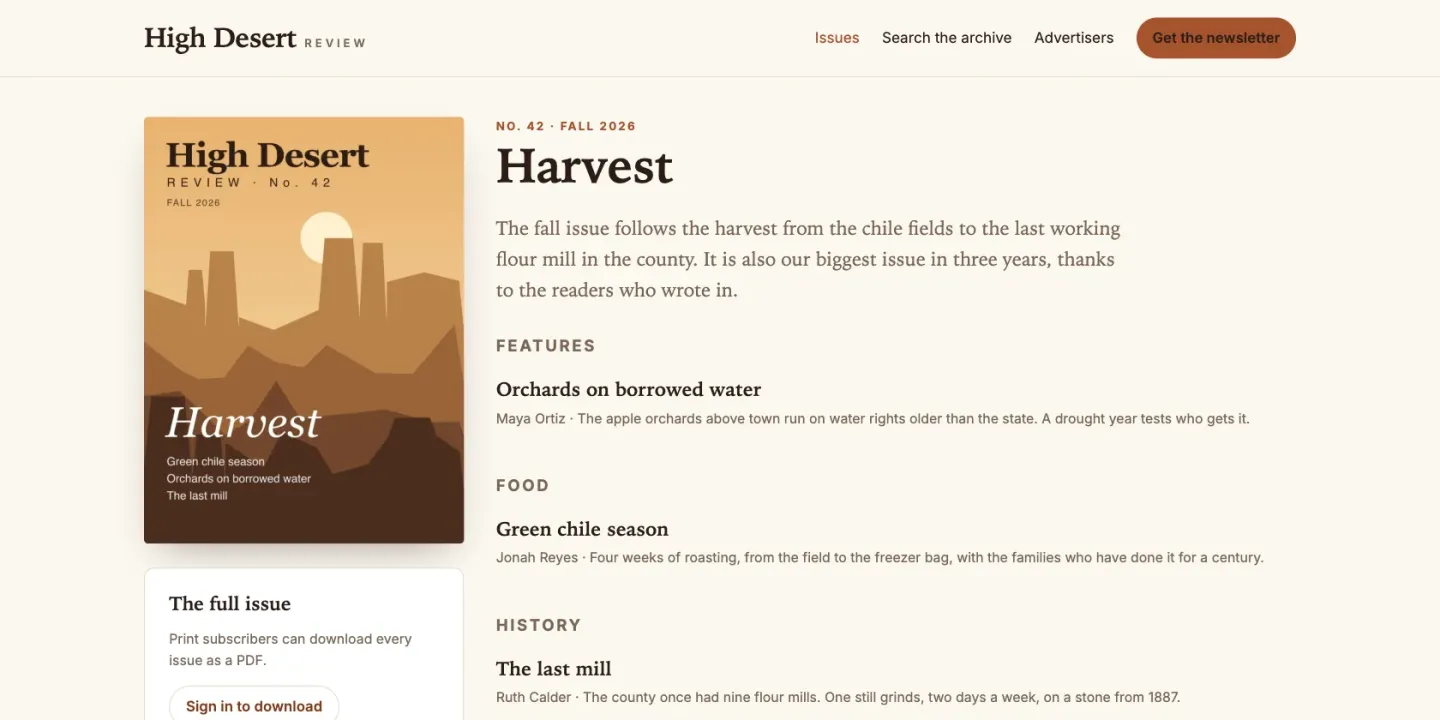
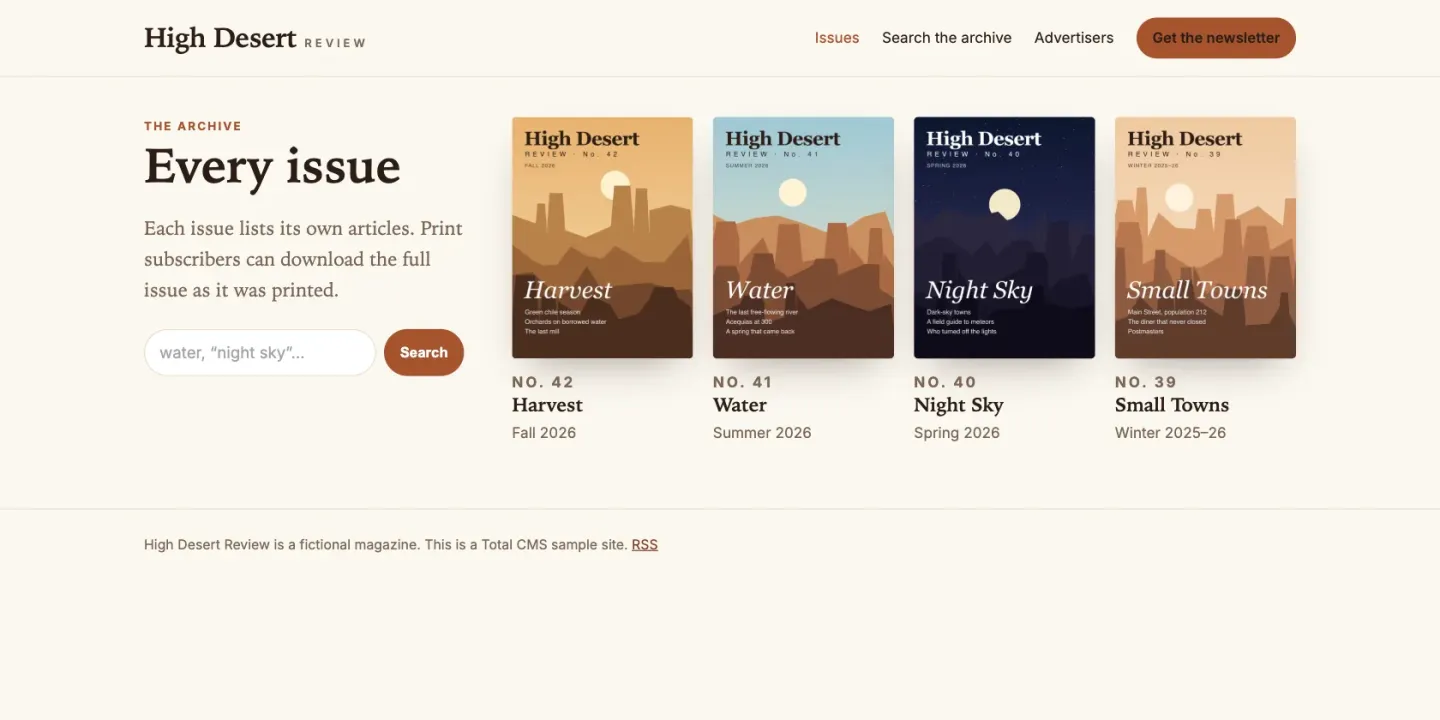
This page's JumpStart builds one for High Desert Review, a fictional regional quarterly: four issues, fifteen articles, five writers, a newsletter list, and a corner of the site for its advertisers. The screenshots below come from it.
Articles, authors and issues
The built-in blog schema covers articles from the first day: a title, a date, an author, a summary, an image, a gallery, categories and tags, and the body. A blog collection is created with its RSS feed already on, so readers and aggregators can follow it at /feed/rss/{collection}, and each article is marked up for search engines as a blog post or article, with its publish date.
When articles need to belong to an issue, Pro adds custom schemas. An issues collection holds the cover, the issue date and the PDF; each article picks its issue from a relational field, and the issue page lists its articles without anyone keeping a table of contents by hand. Authors can have a collection of their own, with a photo and a short bio, so a byline leads to everything that person has written.
- Written ahead. A template can list only the articles whose date has arrived and that are not drafts, so next week's piece can be written and filed today. The RSS feed leaves out drafts but not future dates, so keep an article dated ahead as a draft until its day if the feed should wait for it too.
- One photo, every size. ImageWorks resizes and crops on the fly, so an editor uploads one full-size photo and every page gets the size it needs. Watermarks mark images you would rather not see reused.
An archive readers can search
Past issues stay on the site rather than in a folder. Each issue's PDF goes in a file field, or a set of files in the built-in depot schema, attached to the record it belongs to. Search runs across a collection's indexed properties, such as titles, summaries, authors and tags, with AND, OR and quoted phrases, so a reader can find the review from three summers ago.
The Site Builder writes titles, descriptions, social images and structured data from your content, and once a collection's sitemap is switched on, each new page joins it as it is published.
The newsletter, from the same site
Mailer templates are written in Twig and go out through your own SMTP provider. On Pro, Bulk Send mails a template to every object in a collection, one email per subscriber, with filters to narrow the audience, a preview of what any one subscriber will get, and a schedule for a later date and time. A signup form on the site saves each new subscriber to that collection, with a honeypot and a time trap to turn away bots. Emails go out as the job queue runs, so the site needs its cron job.
Partners and subscribers behind a login
Access groups decide who sees what. A Site Builder page can require a signed-in visitor, or membership in a named group, so advertisers can download the media kit and their campaign reports, and subscribers can read the full issue. Files inherit their collection's access rules by default, so a protected PDF does not become public because someone forwarded the link. Accounts can expire on a date, which suits a year's subscription.
Readers and advertisers don't need admin accounts. They can live in a members collection of their own with its own sign-in page, and a locked page or a protected file sends anyone signed out to that page, then back. In the sample, a print subscriber downloads every issue's PDF, and an advertiser's page lists the media kit, the rate card and the campaign reports made for them. Each campaign report is owned by its advertiser, so it never opens for another advertiser, even from a forwarded link.
Where it stops
- It doesn't take payments. There is no paywall, subscription billing or ad server. Charging readers means a payment service such as Stripe, with an admin adding each reader to the subscriber group once they have paid.
- It isn't an email marketing platform. Bulk Send queues one email per subscriber through your SMTP provider. There are no open or click statistics, and an unsubscribe link is something your templates build. A large list is better served by a newsletter service, which can sit beside the site.
- Print stays in your layout software. Total CMS holds the web edition and the PDF, not the page layout.
- Someone has to set it up. Issues, authors and the subscriber area are schemas, groups and templates, not a wizard. Plan on a designer or developer for the first build.
What you need
- Standard for the blog schema and its RSS feed, the depot schema, access groups and locked pages, mailer templates for single emails such as a signup confirmation, and image watermarks.
- Pro for custom schemas (issues, authors, subscribers), the relational fields between them, and Bulk Send.
- Any host with PHP 8.2 or later, and a cron job for the job queue. There is no database to set up.
