
Most podcasts live on a hosting service that holds the audio, generates the feed, and charges by the month. Your website, if there is one, links out to it. The feed is the show's real address, and it belongs to the host.
Total CMS can serve the feed from your own site. The Podcast extension is bundled with Total CMS: enable it, and the show and its episodes are two collections in your admin, with a feed Apple Podcasts and Spotify accept.
The show and its episodes
The show is a single record: title, artwork, categories from Apple's list, the owner email the directories use to confirm it is yours. Everything Apple requires is a required field, so the form won't let you publish a feed Apple would reject.
Each episode needs a title, a date and its audio. Season and episode numbers, a summary and per-episode art are optional. Transcripts and chapter files work the same way as the audio: upload them or link them.
Tick Draft and an episode stays out of the feed. Date it ahead and it waits, then appears in the feed on the day, so a finished episode can be scheduled.
Where the audio lives
You choose, episode by episode:
- Upload it. Total CMS stores the file, serves it through the streaming route podcast apps expect, and counts every fetch. The count shows on the file in the admin and can go on a page.
- Link it. When the audio is in a storage bucket or on another host, give the address and the file size.
The download count is a plain count of fetches, so it includes re-downloads and feed checkers. Treat it as a trend, not an audited figure.
The feed
The feed is served at its own address the moment the show record exists, with no page or template to build. Submit it to Apple Podcasts, Spotify and the Podcast Index, and most other apps pick it up from those. A site can host several shows, each at its own feed address.
If you would rather the feed live at an address of your own, podcast_feed() renders it on any Site Builder page.
The website around it
The episodes are content like any other, so each one can have a page with show notes, the transcript, links and a player, and the episode list can be searched and filtered like a blog. The show, the website and the archive are one place.
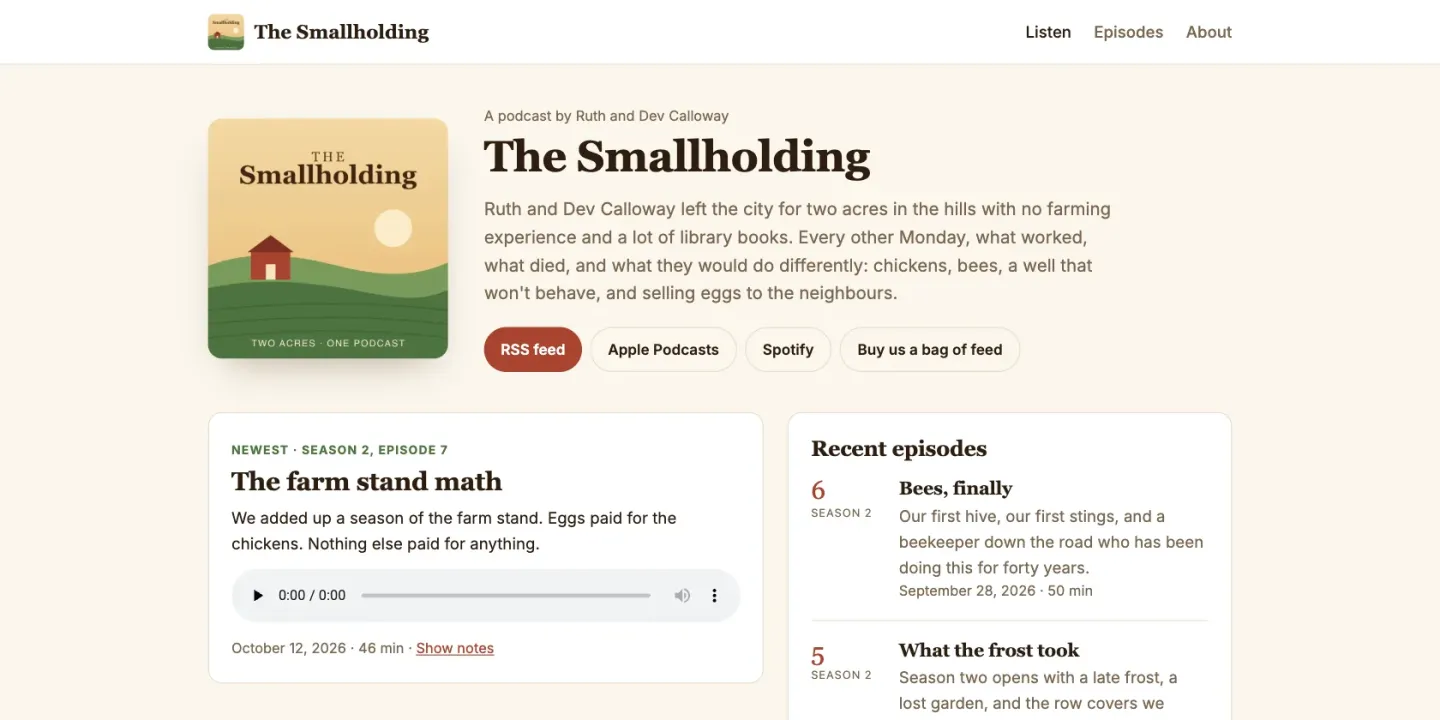
The JumpStart on this page is that site: The Smallholding, a fictional show about two people learning to farm two acres. It has ten episodes across two seasons, including a trailer, a draft and one dated ahead, and pages that hide the last two the same way the feed does.
Moving an existing show over keeps its subscribers if you do it in order. Copy the show's current GUID into the Podcast GUID field, then have your old host redirect its feed to your new feed address, or set its new feed URL setting to it. Apps follow the show instead of treating it as a new one. The New feed URL field in Total CMS is for the day you move the feed again.
Where it stops
- It isn't a CDN. Uploaded audio is served from your web host, which is fine for a few hundred downloads an episode. A show with real reach should keep its audio in a storage bucket and link it, so the bandwidth stops being your host's problem.
- The numbers are simple. You get a fetch count per episode, not the listener analytics, ad insertion or monetisation a podcast host sells. If those pay for the show, keep the host and use Total CMS for the website around it.
What you need
- Standard or above, for the Podcast extension.
- Any host with PHP 8.2 or later. Episodes and the show are plain files, so the archive is yours to back up and move.