
The menu changed in March. The website still shows the winter one, because changing it means emailing whoever built the site, and the holiday hours are a post on a social account half the guests never see. Most restaurant websites go stale for that reason: the people who know what changed are not the people who can change it.
Total CMS gives the restaurant a website where the menu, the specials and the hours are content the staff edit in a form, while the design stays where the designer left it.
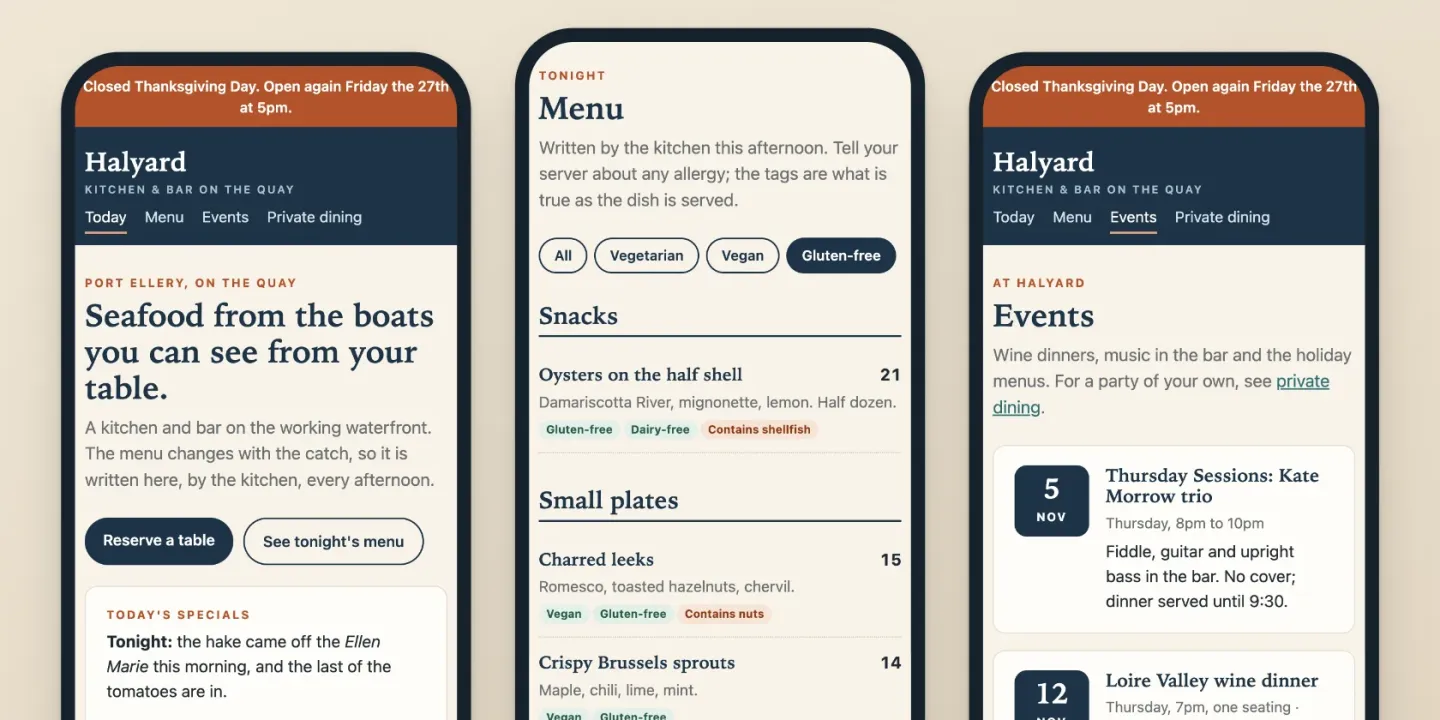
The menu as content, not a PDF
On Standard, the menu can be a styled text page in a singleton collection: one menu, edited like a document, with no way to add a second by mistake. On Pro, a custom schema makes it structured: sections, dishes, descriptions, prices and dietary tags, so the same records feed the dinner page, a printable version and an allergen list.
- Dish photos. Upload one full-size photo and ImageWorks serves each page the size it needs, so a phone on a slow connection doesn't load the print file.
- QR codes on the table. Total CMS draws QR codes in Twig, so a table card can link to the menu page, and to the guest Wi-Fi, straight from the site.
- Out of something? On a structured menu, each dish can carry an "on tonight" switch. Turn it off and the dish leaves the menu, the printed copy and the allergen list together.
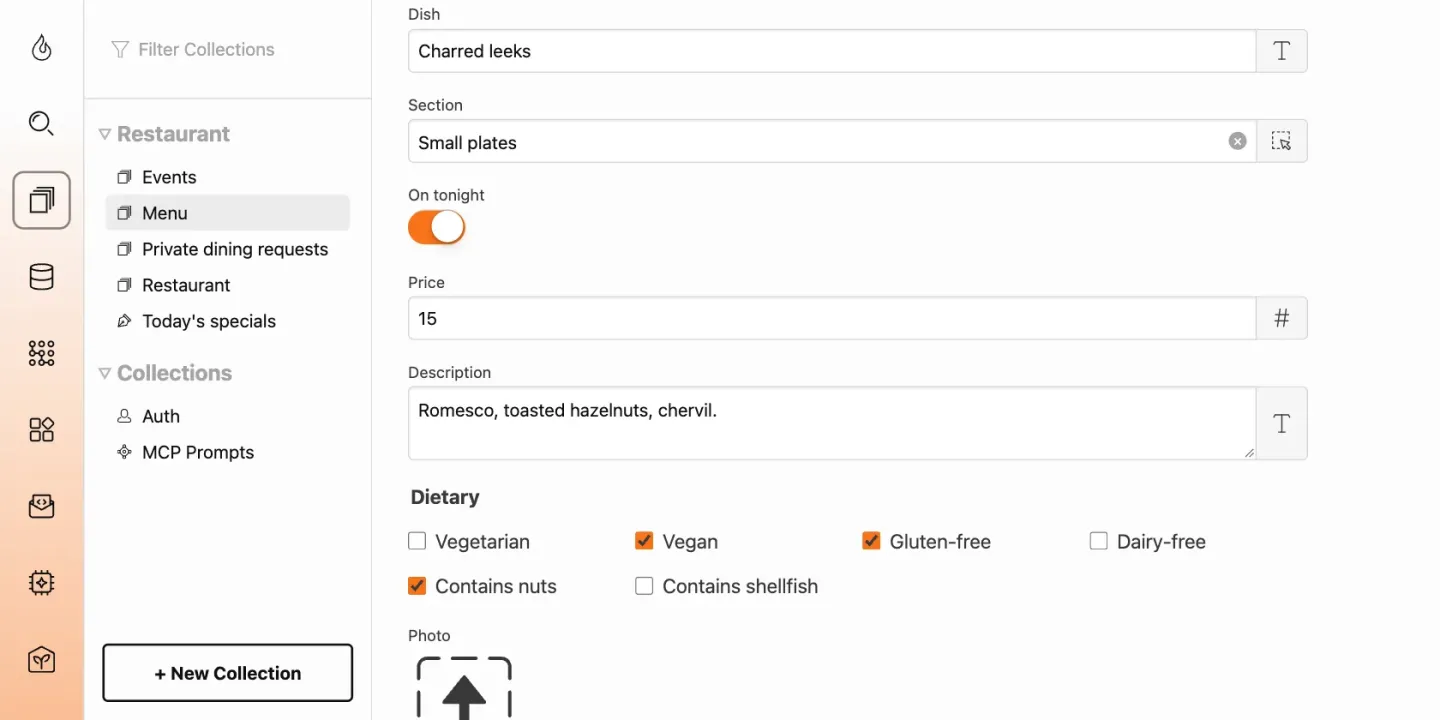
Specials, hours and closures
The day's specials and a holiday notice are small objects the staff update without touching the layout: a styled text block for the specials, and a toggle that shows the "closed for the holidays" banner while it is on. Opening hours live in one place, and every page that shows them reads the same record.
Total CMS doesn't generate restaurant structured data from your fields, but a template can write the address, the opening hours and the menu link as schema.org data for search engines, and the Site Builder handles the titles, descriptions, social images and sitemap.
Events and private dining
Wine dinners, live music and holiday menus go in an events collection with a date (a custom schema, on Pro), and the page lists only the events from today on, so past ones drop off without anyone deleting them. If an event sells a limited number of seats, bookings with Relay Queue handles capacity, approvals and a waitlist.
Private dining, catering and party inquiries come through a form that saves each request as a record and emails it to the manager, with a honeypot and a time trap to turn away bots. Collections export to CSV, so the requests can go into a spreadsheet at the end of the month.
Where it stops
- Ordering usually stays with your POS. Total CMS can take orders: plenty of sites add a third-party shopping cart, and one customer built an entire POS on it. That last one was a lot of custom development, though, so most restaurants keep the POS and ordering service they already have and link to it, and the site holds what guests read before they come.
- Table reservations belong to a reservation service. Total CMS has no table plan or availability calendar. Link to the service you use, or embed its widget.
- Someone has to build the templates. Staff edit forms, but the menu layout, the QR codes and the structured data are set up once, by a designer.
What you need
- Standard for a singleton menu page, galleries, QR codes and image watermarks.
- Pro for custom schemas: a structured menu, an events collection, and a request form that saves each request and emails it to the manager.
- Any host with PHP 8.2 or later, with no database to set up.