

Some of the most useful sites on the web are one person's life's work: a plating guide to a single stamp issue, an image database of a coin series, a library of liturgical texts, a structured walk-through of medical procedures. They hold thousands of entries with the same kinds of facts, and they need to outlive whatever tool they were first built in.
Total CMS suits that kind of site because the catalog is the content model. You describe one entry once, and every entry after it is a form to fill in and a page that matches the rest.
One record per item, the same fields every time
A catalog is a collection with a custom schema: catalog number, date, denomination, plate position, condition, references, notes, whatever your field records. Pick the field for the shape of the fact: a select for a fixed vocabulary, a number for a value, a date, a list for keywords, an image gallery for the scans, a file depot for the PDFs that go with an entry. The editing form builds itself from the schema, so a contributor fills in fields rather than formatting a page.
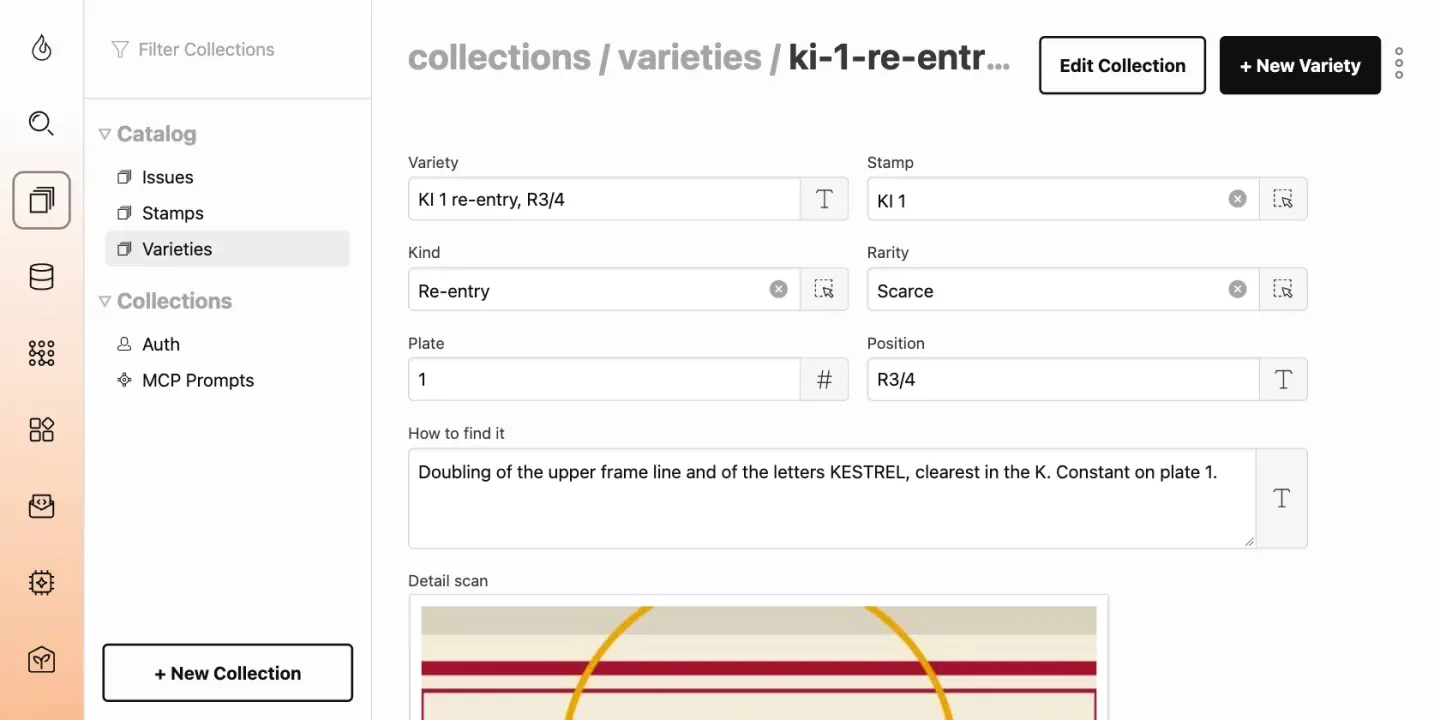
Each record is saved as a plain file and checked against the schema on every save, so the thousandth entry is as complete as the first. Each one also gets a page of its own, at an address you design, such as /catalog/1859/plate-3.
Entries that point at each other
Reference work is mostly connections: a variety belongs to an issue, a text to a feast day, a procedure to a part of the body. A relational field links one record to others with a picker in the editor, and a page can list every record that points back at it.
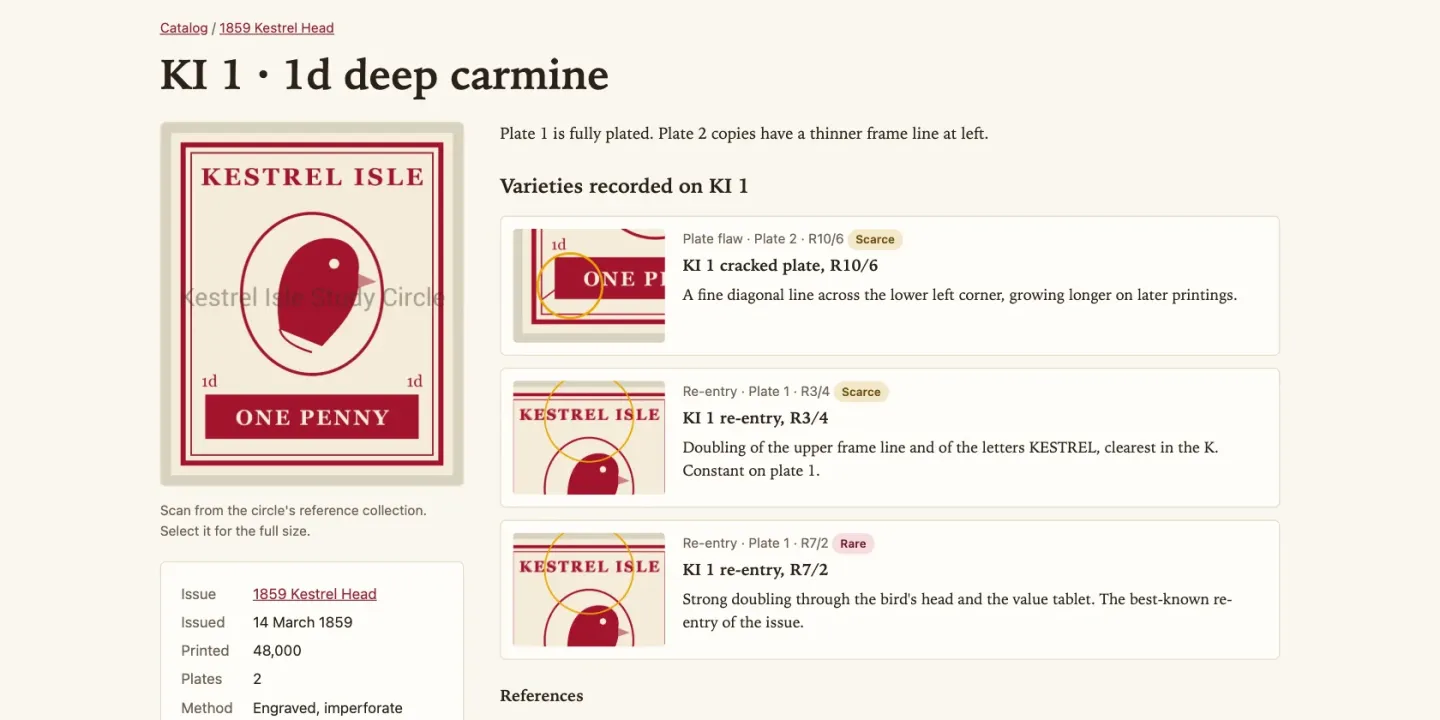
For the big cross-referenced tables a reference site is known for, a Data View builds the table once from one or more collections and keeps it, rebuilding by itself when the records change, so a page with a thousand rows stays fast. The rebuild runs through the job queue, so the queue's cron job has to be running.
Images that keep the detail
Upload the full-resolution scan once. ImageWorks resizes, crops and converts it on the fly, so a list gets thumbnails and the entry page gets a large image, both from the same file. The built-in gallery opens each image in a lightbox with zoom.
If your scans are the valuable part, a watermark set on the schema is applied when each version is made, and no image address returns the clean original. A size limit can leave thumbnails clean and mark only the large versions.
Finding things, and getting them in
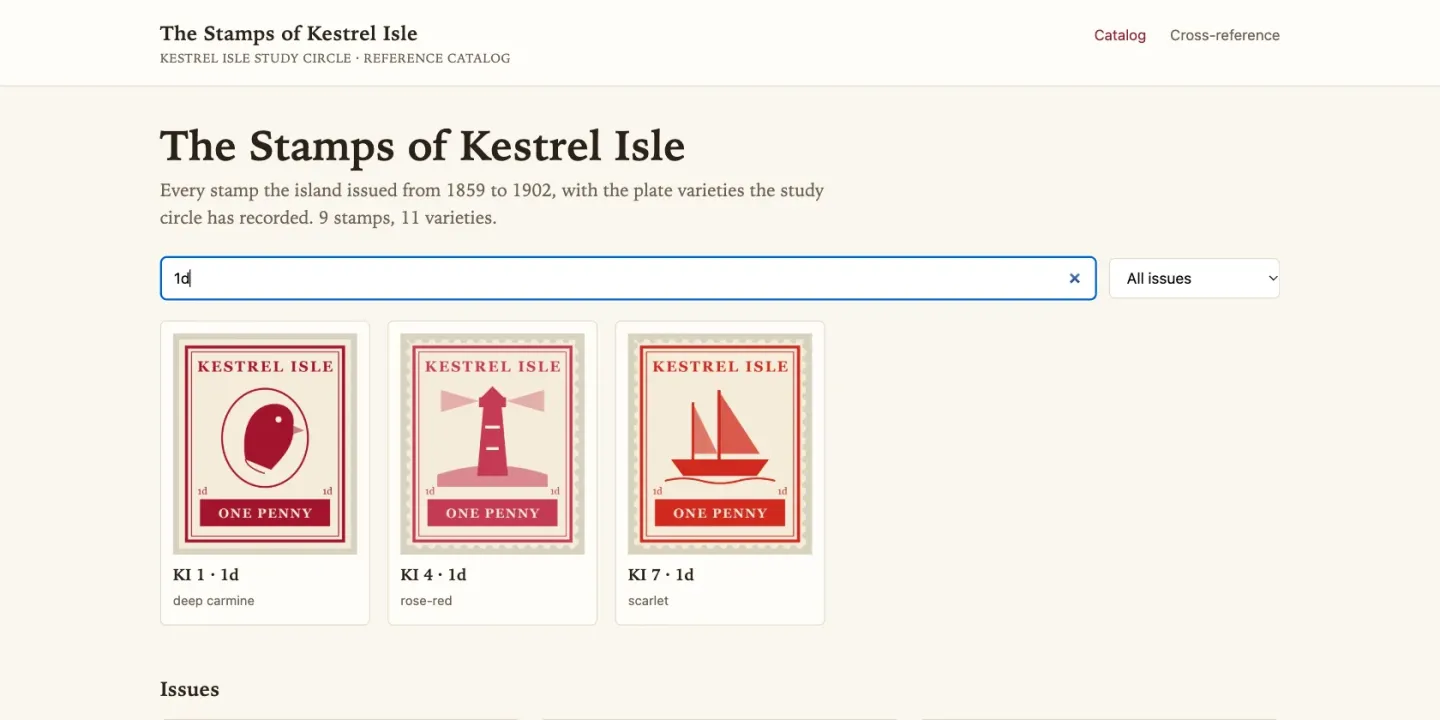
- Search and browse. A search across the fields you choose, plus filtering by category, date range or value, with live results as the visitor types.
- Import from your spreadsheet. Years of work in a spreadsheet come in as a CSV or JSON import, and a later import updates existing entries by their ID.
- Export everything. The whole catalog exports to CSV, JSON or a ZIP with its images, so it is never locked in.
- A members' section. Access groups can keep part of the catalog, or the high-resolution images, for a society's paid-up members.
Where it stops
- It isn't museum collections software. There are no loans, accession workflows, condition-report standards or provenance chains. An institution that manages objects, not just publishes them, needs a collections management system.
- Zoom stops at the image you uploaded. There is no tiled deep-zoom viewer for gigapixel scans.
- Search is keyword search and filters. It is not a typo-tolerant search engine, so on a very large catalog plan your categories and filters well.
- Someone has to design the schema. Getting the fields right is the real work, and changing them after ten thousand entries is harder than before the first.
What you need
- Pro, for custom schemas (a catalog needs its own fields) and for Data Views.
- Standard covers access groups, watermarks and file depots, but its built-in schemas are a blog and a file depot, which don't model a catalog.
- Any host with PHP 8.2 or later, with no database. Each entry is a plain file, so the whole catalog backs up as a folder.